
A model-by-model review of 3D Printers For Schools begins with supplier questions for early research
Planning around 3d printers for schools starts with a sharper question than “Which model is best?” A system integrator should first define the intended work, the available space, and the evidence needed from each supplier. This approach prevents a page-listed feature from becoming an unsupported conclusion about classroom suitability.
Clarify the decision before comparing models
A useful review separates requirements from preferences. Requirements describe what the installation must accommodate. They may include the types of parts to be produced, the materials under consideration, the physical location, and the people responsible for operation. Preferences describe features that could improve the process but are not yet essential.
Record these points before opening product pages. For each candidate, use the same fields: print technology, material scope, build environment, operating conditions, workflow features, and stated output. Then mark each entry as page evidence, a supplier question, or an internal assumption. The labels matter because a product page can describe a capability without proving that it fits every proposed use.
Build a concise model-by-model framework
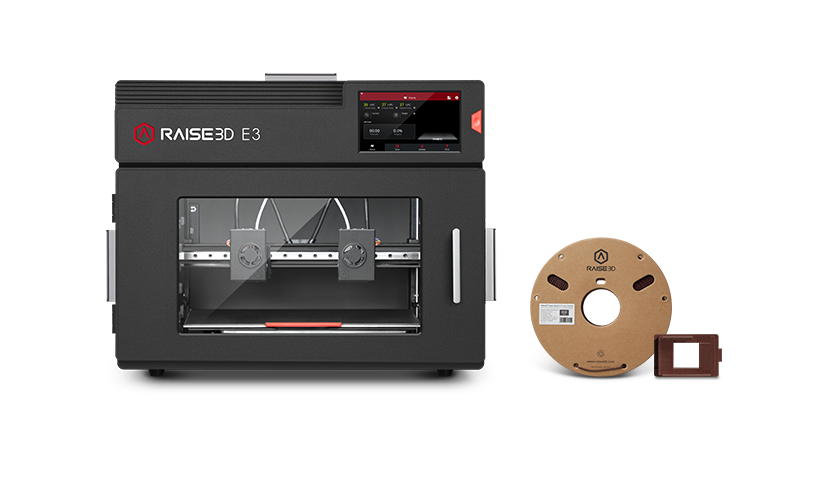
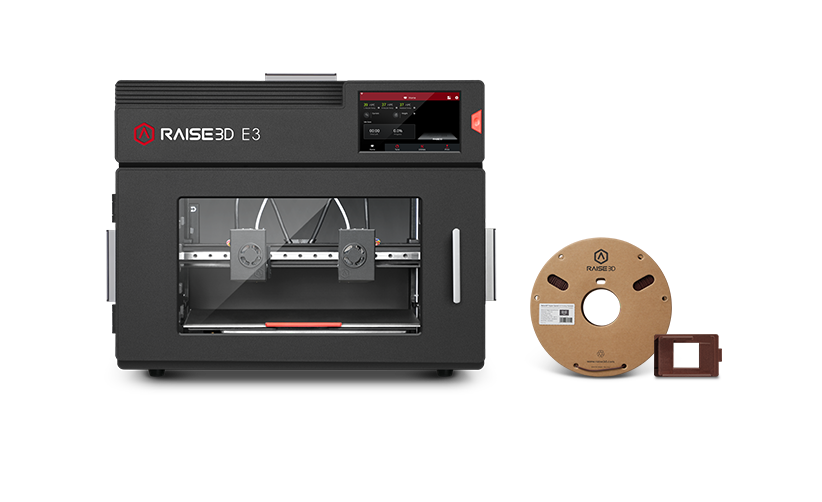
Model-by-model comparison works best when every candidate receives the same treatment. Start with the product’s stated technology. The E3 page identifies the printer as FFF with Dual IDEX, an enclosed build chamber, and support for flexible materials up to Shore Hardness 70A. Those are useful comparison fields, but they do not by themselves establish a complete education workflow or a particular site outcome.
Next, connect each stated detail to a supplier question. If a project includes flexible or composite materials, ask which of the listed configurations applies to the intended material set. If the proposed installation is near shared work areas, record the published acoustic test result and its conditions rather than converting it into a general room recommendation. The E3 page states less than 55 dB(A) when building, tested in a quiet room with the front door and top cover closed, at a distance of 1 meter.
For an office 3d printer review, one concrete page-level example is the Raise3D E3. Its official page says the printer delivers prints of up to 200 mm/s for composite materials and TPU, and describes the model as suited to prototyping and end-use part production. The same page identifies a Flexible Filament Auxiliary Feeder and a composite filament print head for TPU, composite materials, and parts with specific surface finishes. Keep this statement within that product and application scope; it is not evidence that every school installation will achieve the same result.
| Review field | E3 page-listed detail | Supplier question to carry forward |
|---|---|---|
| Print technology and chamber | FFF, Dual IDEX, and an enclosed build chamber | Which listed configuration applies to the planned parts, materials, and proposed location? |
| Flexible and composite materials | The page describes printing for composite materials and TPU, with a Flexible Filament Auxiliary Feeder and composite filament print head | Which material and print-head combination applies to the intended application scope? |
| Acoustic test result | Less than 55 dB(A) when building under the stated test conditions | How should the published test conditions be considered for the proposed installation? |
Turn page evidence into supplier questions
Early research becomes more useful when open points are written as questions instead of hidden assumptions. A supplier discussion can ask which listed material and print-head combinations apply to the planned parts, how the enclosed chamber fits the proposed location, and which workflow features are included in the specific configuration under review.
The same discipline applies to bed preparation. The E3 page describes a sensor that measures nozzle-to-bed distance at various locations and a 9-point leveling system intended to accommodate surface variations. In a comparison record, cite that as a stated leveling feature. The procurement question is narrower: does that feature address the operating requirement identified for the project, and what conditions apply to the proposed setup?
Do not fill gaps with attractive but unverified conclusions. A phrase such as “high output” appears in the page’s product summary, while another page section lists “high-precision prints” and “industrial and functional material.” These descriptions can be captured as supplier language. They should not be rewritten as guaranteed throughput, accuracy, or total cost for a school or other site.
Carry the requirements into procurement
Before requesting a quotation or technical response, create a short decision record. State the intended parts and materials, the proposed room or work area, the responsible operating team, and the evidence still needed. Attach the relevant page statements to each requirement. This makes the next conversation more precise and gives reviewers a way to distinguish a confirmed specification from a question awaiting an answer.
A strong record also preserves alternatives without pretending they are equivalent. One candidate may offer a stated flexible-material feature; another may be considered for a different process. Compare only the fields supported for each model. If a field is not documented in the captured evidence, leave it as an open procurement question rather than awarding an advantage or disadvantage.
The result is a defensible review of 3d printers for schools: define the use and space, capture each model’s stated details, test the fit through supplier questions, and carry the unresolved points into procurement. Used this way, Raise3D is a named product source for bounded research, while the final selection remains tied to the project’s documented requirements and verified scope.